Global Tastemakers Gather for an Exclusive Venetian Masquerade at The Ritz-Carlton Residences, South Beach
A night of masks, music, and modern glamour, The Ritz-Carlton Residences, South Beach brought Venetian elegance to Miami’s shores.
Read MoreYour guide to New York real estate and more
Off The MRKT - Where New York's, Real Estate, Life Style, and Culture Converge
A night of masks, music, and modern glamour, The Ritz-Carlton Residences, South Beach brought Venetian elegance to Miami’s shores.
Read MoreMiami’s beloved Mediterranean restaurant Motek is bringing its golden-hued charm to New York City, officially taking over the former Rue 57 location at 60 West 57th Street. For founder Charlie Levy and his team at Happy Corner Hospitality, the Manhattan flagship marks a defining milestone—transforming what began as a family dream in South Florida into a national brand poised to join the ranks of New York’s modern dining institutions.

The restaurant’s design blends Mediterranean warmth with New York sophistication: natural stone, soft lighting, and refined textures that create an atmosphere both timeless and buzzing with energy. Guests can expect Motek’s signature dishes—each prepared 100 percent seed-oil-free—served with the same spirit of hospitality that has made it a Miami favorite. From creamy hummus and vibrant Israeli salads to sizzling kebabs and saffron-spiced seafood, the menu continues the brand’s commitment to wholesome, soulful cooking rooted in family tradition.

“This opening is deeply personal to me,” says Charlie Levy. “New York has always represented possibility, energy, and culture—everything Motek stands for. To bring our food and spirit to the former Rue 57 feels like coming full circle. It’s a milestone for the brand but more than that, it’s a dream realized.” With its prime Midtown address and a loyal following already in place, Motek’s arrival signals a new era for one of New York’s most storied dining corners.
Have a listing you think should be featured contact us or submit here to tell us more! Follow Off The MRKT on Twitter and Instagram, and like us on Facebook.
From twinkling stars to Broadway performances and luxe holiday shopping, Columbus Circle once again becomes the beating heart of the season in New York.
Read MoreThe legendary Cipriani brand sets its sights on Uruguay’s coast with a $600 million residential masterpiece designed by Rafael Viñoly Architects.
Read More
Sticker prices don’t scare contractors—surprises do. You demo a scheduling platform, love the features, then learn the training fee plus a 10-seat minimum stacks thousands on your bill.
In 2025, we sifted through price sheets for 35 construction-schedule tools, Reddit buyer threads, and industry surveys. The outcome is a 2026 cost map that exposes what each platform truly charges and where hidden add-ons hide.
Read on to budget smarter, skip the fluff, and lock in software that fits your project pipeline—not the sales pitch.
First, we scraped 2024–2025 price sheets for 35 scheduling and project-management tools, then cross-checked them against more than 150 real quotes in Capterra reviews and r/ConstructionManagement threads. Using two sources kept us honest; no vendor “starting at” tease slipped through.
Next, we converted every figure to an annual, apples-to-apples cost in U.S. dollars. Whether a platform lists $280 a month for a single license or $1,200 for an unlimited-user plan, it lands on the same twelve-month line (Capterra).
Finally, we flagged the fees most buyers overlook: mandatory training packages, seat minimums, and implementation SOWs. The totals you’ll see match the amount of finance wires, not the brochure price.
With the ground rules set, we’ll step into the enterprise tier and see where the big checks start flying.
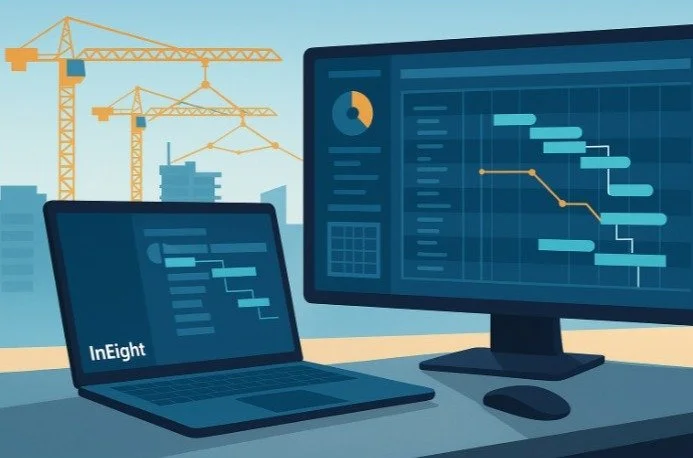
InEight’s self-service tier trims the red tape that once kept its CPM engine out of smaller teams’ reach. InEight Schedule delivers critical-path scheduling, risk modeling, and integrated forecasting within a single browser-based platform built for construction professionals..According to the InEight Schedule product page, the platform delivers enterprise-grade CPM scheduling, what-if scenario modeling, and risk analysis tools built to streamline complex construction planning.
Sticker price. A single seat costs $150 per month when billed annually ($1,800 a year) and $199 for month-to-month flexibility, according to InEight. The subscription bundles full CPM scheduling, what-if scenarios, Monte Carlo risk, and browser access with no servers or IT tickets required.
Where it gets pricier. Large owners often add estimating, cost, or document modules, each with its own per-seat fee. Enterprise quotes hinge on concurrent-project count or a revenue cap, so bring last year’s work-in-place numbers to the negotiation.
Implementation reality. The license includes one “Expert NOW” coaching session. Firms migrating legacy Primavera files usually purchase consulting; plan about a week of services for every big project you convert, according to InEight.
Who should buy. If you manage billion-dollar programs and need Primavera-class critical-path analysis without database upkeep, Schedule NOW fits. Start with one scheduler today, then expand when needed; your data stays inside the InEight ecosystem.
Bottom line: budget $1,800 for a solo planner and expect low-five-figure spend once ten users are active. Every extra dollar ties to a module you choose, a level of transparency rare in enterprise scheduling.
Procore positions itself as the all-in-one command center, and it prices the platform accordingly.
Pricing model. Instead of charging per user, Procore ties your license to projected annual construction volume. Recent benchmarks place costs at $4,000–$6,000 a year for firms building under $10 million, $10,000–$15,000 for mid-sized contractors, and $20,000-plus for enterprise agreements, according to Boom & Bucket. Unlimited users make the math attractive when you collaborate with dozens of subs.
Hidden costs. The software fee is only the opening bid. Implementation workshops, ERP connectors, and field-training packages often add another 10–20 percent of first-year spend, and user reviews note renewals climbing about 10 percent each year, according to Capterra.
Negotiation tips. Because pricing hinges on backlog, show a realistic revenue forecast and use any regional slowdown as leverage. Multi-division roll-ups can unlock tier discounts; coordinate with sister companies before you sign.
Bottom line: Procore’s breadth and unlimited-login model pay off when you manage large volumes and many stakeholders, but the upfront check and the yearly escalator demand careful cost-of-ownership math.
Primavera is a heavyweight in critical-path scheduling, and Oracle prices it accordingly.
P6 Professional (desktop). A perpetual license lists for $3,880 per user with $774 in annual maintenance for updates and support, according to Global PM. This model suits teams with one or two power schedulers and the IT capacity to host an Oracle database.
Primavera Cloud. Most new buyers now pick the SaaS route. The Schedule module costs $1,560 per user per year, with a five-user minimum that sets the entry at $7,800, according to Taradigm. Need portfolio oversight? The Portfolio & Capital Planning module runs $2,820 per user per year, also according to Taradigm.
Hosting is bundled, but complexity shifts to onboarding. Migrating XER files and training staff often requires a three-day instructor-led course at about $1,695 per attendee, according to Global PM. Add that to year-one budgeting, along with any data-migration consulting.
When Primavera pays off. The platform shines on mega-projects with thousands of activities and stiff delay penalties. For a $20 million school build, the overhead may feel steep; on a $1 billion highway, the risk analytics alone can repay the fee.
Rule of thumb: if you cannot seat five full-time planners, consider lighter tools. If you can, budget the subscription plus 10 percent for training and put Primavera’s CPM muscle to work.
Buildertrend serves the small-contractor sweet spot, covering custom homes and tenant-finish jobs with five to fifty active projects.
Sticker versus reality. Sales often start with a $199 first-month promo, but the standard “Essential” plan renews at $499 per month when billed annually (about $6,000 a year), according to Reddit user reports. Contractors who need unlimited projects or advanced financial reporting cite quotes around $800 per month for higher tiers, also according to Reddit.
Why firms like it. One flat fee covers the entire company, so supers, subs, and even homeowners can log in without counting licenses.
Where costs sneak in. After the 30-day promo, invoices triple. Lock in annual billing early or negotiate a longer intro period to keep cash flow predictable. Confirm whether your tier caps active projects; some users upgrade mid-year when they hit the limit.
Onboarding. Most teams go live after a recorded webinar and a one-hour call. Buildertrend may waive advanced coaching if you sign a 12-month term, but budgeting a day of internal training keeps field updates flowing.
Bottom line: enter the full 12-month cost in your bid markup, not the first-month teaser, and you’ll protect both the schedule and the budget.
Microsoft Project is the familiar face in scheduling, offering classic ribbon menus and dependable Gantt bars at a price that keeps finance relaxed.
Plan 3 offers the best value. The cloud-based Project Plan 3 lists at $30 per user per month when billed annually. Five schedulers cost about $1,800 a year, a modest outlay compared with enterprise suites.
Where costs creep in. Every foreman who edits tasks needs a license; view-only access through Teams or SharePoint stays free. Add ten or twenty editors and the tab climbs fast. Project also assumes your company already pays for Microsoft 365 — Business Standard is $12.50 per user per month. Firms on Google Workspace must add that overhead.
Training and ramp-up. Supers who know Excel often stumble when predecessors and successors appear. Budget at least a half-day workshop or a prerecorded course (typically $200–$400 per person) to keep updates on track.
Best fit. If your projects top out under $50 million and you need reliable CPM scheduling without volume negotiations, Microsoft Project gives you predictable pricing: add a seat today, cancel one next year, and avoid tier haggling.
Smartsheet feels familiar: spreadsheets on top, project horsepower beneath the grid. The blend keeps adoption smooth and entry cost low.
Pricing. The Business plan lists at $19 per editor per month when billed annually. With a three-user minimum, a 10-person office spends about $2,280 a year.
Where it climbs. Add field supers, architects, or clients and the per-seat meter keeps spinning. Fifty editors reach $11,400 a year, matching the cost of full construction suites that bundle RFIs and cost tracking. The cheaper Pro tier limits automations to 250 per month, so most teams pay for Business whether they need the extras or not. Premium add-ons such as Resource Management carry separate subscriptions and can double spend if you are not careful.
Hidden limits. Automation and sheet caps disappear on Business, but premium modules—resource leveling, advanced portfolios—carry extra fees. Review those line items before a company-wide rollout.
Best-fit scenario. Publish sheets for unlimited read-only access, license only active editors, and trim dormant seats each quarter. When used as a collaboration layer atop heavier CPM tools, Smartsheet stays affordable as long as you track those $19 chairs as projects grow.
Contractor Foreman markets itself as “all-in-one for less than $300 a month,” and in this case the math checks out.
Pricing. The Unlimited plan costs $249 per month, roughly $2,988 a year, when billed annually, while a month-to-month agreement runs $332, according to G2. The entry-level Basic plan starts at $49 a month but caps features and active projects, so most growing crews upgrade within a quarter.
Why do small firms love it? One flat fee covers every user, every feature, and every project. Plans include a 100-day money-back guarantee and free chat support, which keeps risk low.
Hidden costs? Almost none. Setup relies on a self-guided wizard plus live chat. White-glove onboarding is available, yet most teams skip it and go live over a weekend.
Trade-offs. You gain dependable Gantt views for residential and light-commercial jobs, but no critical-path float or resource leveling. QuickBooks Desktop integration requires Pro or Unlimited, and there is no SAP connector. If speed matters more than deep analytics, that compromise is reasonable.
Bottom line: for contractors who have outgrown spreadsheets yet refuse to spend five figures on software, Contractor Foreman sets a hard ceiling on cost and keeps the learning curve gentle.
Sometimes the software budget is $0. You still have choices, but know what you give up in exchange for the savings.
Spreadsheets. Excel or Google Sheets cost nothing extra if your company already licenses the suite. Templates abound and adoption is instant; however, one stray cell drag can shift a finish date by weeks, and there is no audit trail to catch it.
Open-source desktop schedulers. ProjectLibre and GanttProject imitate Microsoft Project’s layout and handle task logic, critical path, and basic reports at no cost. They do not offer cloud collaboration or vendor support, so when something breaks you will be scrolling community forums after hours.
Freemium SaaS.
Fieldwire Basic lets up to 5 users manage 3 projects and 100 sheets before an upgrade is required, according to Fieldwire.
Methvin Free covers one schedule with limited storage; paid tiers begin around $27 per month, according to Methvin.
These tiers work as sandboxes for startups or specialty subs running one or two jobs a year. Growth, though, trips a paywall, so add future cost to your roadmap.
Remember: free software keeps cash in the bank but shifts expense to labor. Manual backups, version control, and troubleshooting can devour billable hours. If your team’s time is worth more than $20 an hour, even a modestly priced tool can pay for itself within a month.
Use the zero-cost lane for learning, prototyping, or very small jobs. Once revenue or risk climbs, graduate to a platform that shoulders the administrative load for you.
Start with the one metric that never blurs: your annual construction volume.
Over $50 million. Delay claims on a single bad day can erase profit, so move straight to the enterprise tier. Enterprise construction scheduling and project controls software like InEight, along with Procore or Primavera, may cost $20k–$50k a year—less than 0.1 percent of revenue for a $50 million contractor—and often acts as insurance against liquidated damages.
$5 million–$50 million. You juggle multiple jobs and need client portals but cannot justify six-figure contracts. Buildertrend, Microsoft Project, or Smartsheet fall in the $6k–$15k range and leave funds for labor and equipment.
Under $5 million. Stay lean. Contractor Foreman or a freemium plan covers schedules, budgets, and daily logs for $0–$3k a year. When revenue rises, you can port data into a heavier system.
Think of software as scaffolding: match the frame to the project’s height and avoid paying for poles you do not need.
Licenses are easy to spot; the sneaky charges hide in fine print and kickoff calls. Run through each item below, then drop the figures into your budget spreadsheet before you sign.
Minimum seats. Does the starter tier force five planners when you only need two?
Training. Is onboarding à la carte or bundled in year one? A full-day virtual class often costs $700–$1,500 per person.
Implementation services. Data migration, custom fields, and ERP connectors can add 10–20 percent of first-year spend.
Usage limits. Watch for project, automation, or storage caps that trigger a mid-year upgrade.
Renewal escalators. More than half of SaaS vendors add 7–10 percent automatically at renewal, according to Torii.
Support tiers. Email-only help is affordable; 24/7 phone support can add thousands each year.
Marketplace apps. Third-party integrations sometimes carry their own per-user fees.
Early-exit clauses. Multi-year contracts may require paying 100 percent of the remaining term if you cancel early. Read that line twice.
Match cost to risk. On a $50 million job, one delay claim can wipe out $500,000 in profit. A $40,000 enterprise license becomes inexpensive insurance.
Look past the sticker. Minimum seats, training, and 7–10 percent renewal bumps often double the first quote, so budget for the total cost, not the brochure line.
Plan in two-year cycles. Cloud tools let you pivot; choose what fits today’s backlog and schedule a review every 24 months.
Negotiate every line. Vendors frequently trim 10–15 percent for buyers who arrive with a clear scope and competitor quotes. Ask.
Software should shorten schedules, not lengthen procurement. Walk into demos armed with these numbers, and the contracts you sign will help the field, not hurt the budget.
The right scheduling software should save time, not steal it. Every contractor—from custom-home builders to billion-dollar infrastructure firms—can find a tool that fits their project scale, but only if they budget for total cost of ownership, not the teaser rate.
Sticker prices matter, but so do the extras: onboarding, training, and seat minimums that quietly double first-year spend. Run your numbers against the reality of your job volume, staff size, and risk exposure, and revisit the math every two years. Software evolves, and so should your tech stack.
When pricing transparency is scarce, negotiation is your blueprint. Ask for quotes in writing, itemize every module, and confirm renewal terms before signing. The best scheduling software isn’t the flashiest—it’s the one that helps your field teams deliver on time, within budget, and without nasty billing surprises.
1. What’s the average cost of construction scheduling software in 2026?
Expect $2,000–$3,000 per year for small-team platforms like Contractor Foreman or Smartsheet, $6,000–$15,000 for mid-market tools such as Buildertrend or Microsoft Project, and $20,000–$50,000+ for enterprise-grade systems like InEight, Procore, or Primavera.
2. Why do quotes vary so much between vendors?
Pricing depends on user count, annual construction volume, and add-ons such as document control or estimating modules. Some platforms charge per user, while others price by revenue tier or concurrent projects.
3. What are the most common hidden costs?
Watch for:
Minimum seat requirements (e.g., 5-user minimums)
Training and implementation packages ($700–$1,500 per person)
Integration or connector fees
Annual renewal escalators (7–10%)
Premium support tiers
4. Is free or open-source scheduling software worth it?
Yes—if you’re learning, experimenting, or running small projects. Tools like ProjectLibre or Fieldwire Free work well for startups or subs. But once your backlog or risk grows, the lack of cloud collaboration, audit trails, and support often outweighs the savings.
5. How often should I reevaluate my scheduling software?
Plan for a 24-month review cycle. Prices shift, new integrations emerge, and your project pipeline evolves. A biennial audit ensures you’re not overpaying for unused modules or stuck with legacy tools that no longer scale.
A gleaming salute to craft, humor, and creative freedom—complete with Doonan one-liners, jazz, and a very Adler centerpiece moment.
Read More
Modern New York City apartments incorporate numerous hidden safety innovations that protect residents without visible intrusion. Gone are the days of reliance on external fire escapes; today's buildings integrate sophisticated systems. These provide superior protection while maintaining architectural aesthetics.
Here are six hidden safety features in modern NYC apartments to inform your decision on a new residence.
Contemporary apartment buildings use automated sprinkler systems that detect and suppress fires more quickly than traditional systems. These systems activate within seconds of sensing heat or smoke, containing fires quickly before they can spread. Unlike risky external fire escapes, modern sprinklers aim to put out the emergency itself.
Sprinkler heads are linked to pressurized water lines with backup systems that kick in during power outages, helping to keep you safe. These sensors are designed to tell the difference between real fires and false alarms, like from cooking smoke or steam, so you don't have to worry about unnecessary water damage.
Modern construction incorporates fire-resistant materials that slow the spread of flames and give residents more evacuation time. Steel frames resist high temperatures better than wood, while gypsum-based fireproofing creates barriers between units. These materials work continuously without requiring maintenance or activation.
Rather than relying on external fire escapes, modern buildings feature enclosed, fire-rated stairwells explicitly designed for emergency evacuation. These stairways include pressurization systems that prevent smoke infiltration and maintain clear visibility during evacuations.
The stairwells connect directly to ground-level exits and include emergency lighting powered by backup generators. Wide landings accommodate residents with mobility challenges, while clear signage guides evacuees even in low-visibility conditions.
Most modern apartments have interconnected smoke and heat detectors forming building-wide alarms. A single activation alerts residents and emergency services quickly, offering earlier warnings than older systems. These detectors also monitor air quality, temperature, and carbon monoxide. Central panels locate emergencies, aiding faster responses.
During your search for your ideal rental property, pay attention to buildings that mention updated safety systems or recent renovations, as these often indicate modern fire protection features. Properties built or renovated in recent decades typically incorporate these advanced safety measures as standard features.
Modern apartment buildings use compartmentalization, dividing structures into separate zones. Fire-rated walls and doors between units prevent flames from spreading horizontally, while vertical barriers limit upward movement through the building.
Each apartment functions as an individual compartment with its own fire barriers. Mechanical systems include fire dampers that automatically close ventilation connections during emergencies, preventing smoke from traveling through air ducts to unaffected areas.
It's worth noting that new buildings don't have fire escapes because of comprehensive internal safety systems and modern building code requirements that prioritize interior evacuation routes over external structures.
Contemporary safety systems accommodate residents with disabilities through accessible emergency exits, visual alarm signals for hard-of-hearing residents, and fire-rated elevators that remain operational during specific emergencies. These features help all building occupants evacuate safely.
Emergency communication systems include both audio announcements and visual displays that provide evacuation instructions in multiple languages. Wider stairwells and designated refuge areas allow residents who cannot use stairs to wait safely for assistance.
When viewing apartments, ask property managers about safety features and recent updates. Understanding these hidden safety features in modern NYC apartments will help you appreciate the sophisticated protection built into your home and give you confidence in your housing choice.
Have a listing you think should be featured contact us or submit here to tell us more! Follow Off The MRKT on Twitter and Instagram, and like us on Facebook.
Explore Off The MRKT's Favorite Listings of the Week, where we feature the most remarkable homes on the market, showcasing unique designs, luxury amenities, and standout locations that make them our top picks
Read MoreFrom wellness CEOs in SoHo to dog dads in Harlem, this viral apartment tour pulls back the curtain on how New Yorkers really live — and what they’re paying to do it.
Read More
From crab fries to sushi rolls, here’s where to eat before cheering on the Eagles, Phillies, Flyers, or Sixers — and how to tailgate like a pro.
Philadelphia isn’t just a sports city — it’s a food city. When game day hits at the Lincoln Financial Field, Citizens Bank Park, or Wells Fargo Center, you’ll want to fuel up right. Luckily, South Philadelphia’s Sports Complex sits surrounded by great food, cold beer, and tailgating traditions as strong as the city’s fandom.
And if you’re lucky enough to live nearby — in one of the many modern apartments featured on SouthPhillyApts.com — game day practically starts at your doorstep. Residents enjoy walkable access to the stadiums, plenty of dining options, and the kind of community energy that makes South Philly feel alive year-round.
Address: 1526 Packer Avenue
The city’s ultimate sports bar. Home to the famous Crabfries® and overflowing pints, Chickie’s & Pete’s has become the pre-game pilgrimage for locals and visitors alike. With dozens of TVs and a raucous crowd, it’s part of Philly’s DNA — and just minutes from all three stadiums. Arrive early or expect a line, especially before Eagles games.
Address: 4503 South Broad Street
For something more polished but still laid-back, Gatehouse blends historic Navy Yard character with killer cocktails and hearty comfort food. The outdoor patio is perfect on warmer days, while the interior buzzes with pre-game energy. Think burgers, wings, and local beer — all in a brick-lined setting that feels more gastropub than dive bar.
Address: 1528 Packer Avenue
Sometimes you just need the perfect hoagie — and Pastificio’s delivers. Their Italian sandwiches are tailgate-ready, made fresh, and ideal to bring into the stadium (yes, you can bring wrapped food inside). Their chicken cutlet and sharp provolone combo is legendary among locals, making this the no-frills, big-flavor stop before kickoff.
Address: 1631 Packer Avenue
A South Philly institution that’s as unpretentious as it gets. Expect classic bar food, pitchers of domestic beer, and die-hard fans who’ve been coming here since the Vet Stadium days. It’s perfect for those who prefer local charm to the chaos of the larger bars nearby — plus, the service is fast, which matters when the first pitch is 30 minutes away.
Address: 900 Packer Avenue (inside Live! Casino & Hotel)
For a sleek twist on pre-game dining, Luk Fu offers bold Asian flavors — from spicy ramen to shareable sushi rolls — in a high-energy environment. It’s an easy choice if you want to elevate your tailgate crew with something beyond burgers and fries. Bonus: it’s steps from the stadium and open late for post-game bites.
Address: 1100 Pattison Avenue
When you don’t have reservations or a tailgate plan, Xfinity Live! is your one-stop entertainment hub. Multiple bars, live music, and a giant screen showing the game make it a reliable choice for all fan types — whether you’re rallying with friends or catching a few innings before heading home.
Yes! Tailgating is part of Philly’s DNA. The Lincoln Financial Field parking lots open 4.5 hours before kickoff for Eagles games, and similar timing applies for Phillies and Flyers events. Popular lots include K, J, and L — they fill up fast, so plan to arrive early.
Small grills are allowed in most lots, along with pre-made food like hoagies or wraps. Alcohol is permitted in moderation (no glass bottles, kegs, or hard liquor). For a gourmet setup, locals swear by sandwiches from Pastificio’s or takeout platters from Chickie’s & Pete’s.
Yes, as long as it’s wrapped in clear plastic or transparent containers. Bottled water must be sealed and under 20 oz. Always check the venue’s A-to-Z guide for the latest policies.
Lots M and N near Citizens Bank Park tend to be calmer and better suited for families. Many fans prefer the Navy Yard entrance area for more space and shade, away from the louder, party-centric zones.
For Sunday football, arrive 2 hours before kickoff to beat traffic and secure your tailgate zone. Weeknight games are tighter — aim for at least 90 minutes. Restaurants like Gatehouse or Luk Fu make great alternatives if lots are full.
Whether you’re grabbing a quick hoagie, sipping craft cocktails, or firing up a portable grill, South Philly’s game-day food scene has something for everyone. These restaurants keep the city’s energy alive long after the final whistle — and for those looking to make this neighborhood their permanent home, SouthPhillyApts.com offers a complete look at apartments close to all the action.
Have a listing you think should be featured contact us or submit here to tell us more! Follow Off The MRKT on Twitter and Instagram, and like us on Facebook.

By Lisa K. Lippman, Licensed Associate Real Estate Broker, Brown Harris Stevens
Efficiency remains the defining characteristic of today’s luxury real estate market. Well-priced properties are continuing to garner attention, and opportunities exist for buyers who approach the process with equal parts strategy and confidence.
What’s particularly notable is the recent rise of direct buyers, especially among those in their thirties and forties. This trend became apparent at one of my $7 million co-op listings, where three out of four scheduled showings were with direct buyers. However, while many are eager to navigate the process on their own, experience continues to show that agent representation truly matters. Sellers are drawn to the strongest, most prepared buyers, and those with an experienced broker on their side are historically better positioned to succeed.
A seasoned agent does far more than arrange showings or submit offers. They have the ability to anticipate potential issues before they arise, understand how to best present a buyer, and know how to approach negotiations with precision. These insights often make the difference between winning and losing in a competitive situation.
And while property data has never been more accessible, it’s the interpretation of it that counts. As I often remind clients, numbers only tell part of the story. Understanding the nuances of the unit floor plans and building, along with which requests are reasonable during negotiations can dramatically influence value—and peace of mind by knowing that informed decisions are being made.
For buyers, this is an exciting time in a market that rewards preparation, clarity, and expert guidance. With the right strategy and a trusted advisor by your side, you can find the right property, and sometimes where you least expect.

Lisa K. Lippman has been the #1 agent at Brown Harris Stevens for the past nine consecutive years and was recently named the #3 Top New York City Resale Broker by The Real Deal, a Golden I Club finalist, and is consistently honored among the Hollywood Reporter’s New York City Power List. With over 28 years of leading industry experience, Lisa’s depth of expertise, marketing savvy, and personal attention to every detail is sought out by buyers and sellers of high-end cooperatives, condominiums, and townhomes throughout Manhattan.
Have a listing you think should be featured contact us or submit here to tell us more! Follow Off The MRKT on Twitter and Instagram, and like us on Facebook.
A rooftop-worthy guest list, immersive floral fantasy, and unlimited Dom—this wasn’t just a party, it was the moment.
Read MoreAt The Pierre Hotel, the Police Athletic League’s 50th Annual Superstar Gala blended luxury, legacy, and philanthropy—raising over $1 million while honoring Soloviev Group’s Michael Hershman.
Read MoreMontauk meets Miami as Surf Lodge Sundays makes its sun-soaked debut this December with a killer Art Basel lineup and chicken finger towers.
Read MoreElevate your Halloween soirée with chic, seasonal cocktails that blend luxury, flavor, and frightful fun. From smoky mezcal creations to autumn-inspired elixirs, these spooky sips redefine Halloween drinking.
Read More