Essential Steps for Troubleshooting Smart Gate Issues
Smart gates offer great security and convenience for your property. They keep your home secure and let you manage visitor entry easily. Sometimes high-tech systems stop working without warning. A sudden malfunction leaves your driveway blocked and leaves you searching for solutions.
Finding the root cause of an electronic glitch can save you time. Many common gate issues have simple fixes you can try yourself. Following a logical checklist helps pinpoint the exact problem quickly. This guide walks you through the best inspection methods.
Check the Primary Power Supply First
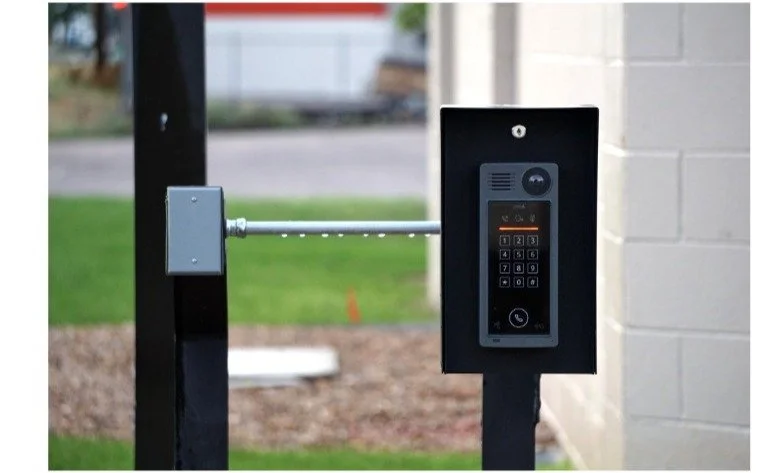
A completely unresponsive gate usually points to a basic electrical failure. You should verify that the main outlet has active power before changing settings. Testing another appliance in the same socket confirms whether electricity is flowing.
Sudden electrical disruptions leave your property vulnerable and stuck. Homeowners often need emergency repair services for driveway gates when a major power surge damages internal wiring. Checking your breaker panel can reveal a tripped switch that cuts off the current.
Battery backups can drain completely during extended local power blackouts. Check the indicator lights on your control box to see if the backup holds a charge. Replacing old batteries restores normal operation when the main power grid is down.
Inspect the Remote Control Transmitters
Remotes are the most-used parts of any automated driveway entry system. They undergo constant physical wear and tear from daily handling. A weak signal from a distance means the handheld unit requires attention.
Dead batteries are the most frequent cause of remote transmission failure. Try replacing the small coin cells inside the plastic casing. Test the range from different distances to see if response times improve.
Multiple transmitters might stop working at the same moment. The situation indicates an issue with the receiver antenna or frequency settings. Clearing nearby physical blockages can restore the wireless signal path.
Test the Safety Sensors for Obstructions
Photoelectric eyes prevent the heavy structural frame from closing on vehicles. An article from a home lifestyle magazine explains that built-in safety features stop the mechanisms instantly if an object blocks the path. Light beams must align perfectly to allow standard movement.
Dirt and debris can easily disrupt sensitive optical sensors. Clean the lenses regularly to keep the signal clear. Look out for some common blockages:
Overgrown lawn weeds and tall grass stems
Mud splatters from heavy rainstorms
Small insect nests built inside the housing
Look at the small LED indicator lights on each sensor unit. A blinking light tells you that the electronic beams are misaligned. Adjust the brackets gently until the indicator lights stay solid.
Clear the Tracks and Hardware Moving Paths
Sliding models rely on smooth metal pathways to glide back and forth. Small pebbles or packed dirt can stop the wheels completely. Regular cleaning prevents the motor from straining against friction.
Sweeping the track with a stiff broom removes loose debris quickly. Hardened mud might require a pressure washer or scraping tool. Clear pathways reduce wear on the drive's mechanical components.
Check the physical stops at the ends of the metal tracks. Blocks keep the structure from rolling off its path. Damaged stops can cause alignment errors that freeze the system.
Examine the Mechanical Hardware and Swing Arms
Swing models face unique physical challenges from their open design. A design publication notes that strong winds can damage swing arms, and steep slopes create operational issues. Heavy gusts place immense strain on the hydraulic mechanisms.
Inspect the bracket connections where the arm attaches to the post. Loose bolts cause sagging, which stops the gate from closing correctly. Tightening fasteners restores proper structural balance.
Look closely for bent metal components along the main frame. Physical impacts from vehicles can warp the structural steel. Structural damage requires physical straightening before the automation works.
Evaluate the Smart App and Network Connectivity
Modern setups connect directly to your home wireless network. Software glitches can mimic hardware failures by blocking your commands. Verifying your router connection is a smart diagnostic step.
Smart applications require regular updates to function correctly. Checking your mobile phone settings can solve many app glitches. Try some simple troubleshooting steps:
Log out and sign back into your account
Check for pending software updates in the app store
Restart your home internet router completely
Distance from the router can weaken the wireless signal. Metal frames can block the internet connection to the main control box. Installing a dedicated network extender improves communication.
Perform Routine Maintenance and Lubrication
Consistent care keeps all mechanical systems running smoothly. A guide from a security equipment manufacturer points out that regular maintenance involves cleaning the surrounding area and checking safety devices. Neglecting basic care leads to premature part wear.
Apply a high-quality silicone lubricant to the moving joints. Avoid heavy grease since it attracts dark dust and grit. Clean components move with far less electrical resistance.
Inspect the main hinges for rust and general wear. Squeaking sounds indicate that metal parts are grinding together. Regular lubrication extends the lifespan of your expensive automated hardware.
Review the Automated Limit Switch Settings
Limit switches tell the motor exactly where to stop moving. If sensors slip, the gate might reverse after hitting the post. Readjusting the limits corrects the opening and closing cycles.
Look for the physical limit cams inside the motor housing. Magnetic switches can collect metal dust that disrupts their accuracy. Wiping the switches clean restores proper positioning data.
Test the gate after making micro-adjustments to the limits. Small changes can make a big difference in how the frame sits. Watch the entire cycle to verify the unit stops correctly.
Reset the System Main Control Board
The main circuit board acts as the brain of your setup. Power fluctuations can confuse the electronic logic and freeze operations. A hard reset often clears minor programming bugs.
Turn off the primary power switch for 5 full minutes. Disconnect the backup battery to drain the system completely. Restoring power boots the internal software fresh.
Check the diagnostic display for error codes after the reboot. Write down any numbers that appear on the screen. Codes help technicians diagnose complex internal failures.

Systematic troubleshooting uncovers most residential gate malfunctions. Checking power, sensors, and remotes resolves common operational glitches quickly.
Regular maintenance keeps your security system operating reliably. Staying patient during diagnostics prevents costly mistakes. Taking care of your system protects your home investment.